

Scenario:
You are working as the network engineer for an Asian based company and responsible for the deployment of IPv6. You heard some good things about this new protocol and are interested in the new autoconfiguration feature, let’s see if you can configure this.
Goal:
- Configure the unique local address FC00:12:0::1/64 on router Red’s f0/0 interface.
- Configure an additional local address FC00:21:0::1/64 on router Red’s f0/0 interface.
- Configure router Red to broadcast both prefixes using ICMPv6 Neighbor Discovery Router Advertisements (ND RA) but make sure only FC00:12::/64 is used for autoconfiguration.
- Configure both prefixes so the valid and prefered lifetime is 2 hours.
- Configure router Red to advertise itself as the default router every 20 seconds with a lifetime interval of 50 seconds.
- Configure router Blue to learn it’s ipv6 address on the f0/0 interface and uses router Red as the default gateway.
It took me 1000s of hours reading books and doing labs, making mistakes over and over again until I mastered all the routing protocols for CCNP.
Would you like to be a master of routing too? In a short time without having to read 900 page books or google the answers to your questions and browsing through forums?
I collected all my knowledge and created a single ebook for you that has everything you need to know to become a master of routing.
You will learn all the secrets about IPv6, DHCPv6, auto-configuration and more.
Does this sound interesting to you? Take a look here and let me show you how to Master CCNP ROUTE
IOS:
c3640-jk9s-mz.124-16.bin
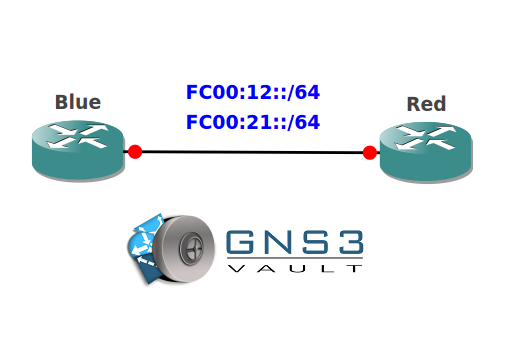
Topology:
Video Solution:
Configuration Files
You need to register to download the GNS3 topology file. (Registration is free!)Once you are logged in you will find the configuration files right here.

The How to Master series helps you to understand complex topics like spanning-tree, VLANs, trunks, OSPF, EIGRP, BGP and more.
Written by René Molenaar - CCIE #41726


You can’t configure FC00::12/64 ip address on fa 0/0 because it’s overlapping with L0 ip address FC00::1/128. Maybe you ment FC00::12/128 ? :))
Or maybe it had to be something like FC00:0:0:1::12/64 and FC00:0:0:1::21/64 ? 🙂
Even my second comment is wrong 😀 As I keep reading on, through lab requirements, to advertise two different prefixes, they must be different, and now both FC00:0:0:1 are the same 🙂 So I chose FC00:0:0:1::12/64 and FC00:0:0:2::21/64
Now everything works ok 🙂
please share the video config for this lab. thanks
Got most of this to work, but addresses do seem to conflict, and ra-prefix is getting aggregated to fc00::/64 so its just a case of changing fc00::21/64 to fc00:0:0:21::/64 and fc00::12/64 to fc00:0:0:12::/64. Im not sure why it behaves like this, but it applies the subnet to the address i.e fc00::12/64 -> fc00:: & fc00::21/64 -> fc00:: much like defining a ipv4 network/subnet it automatically chops finds network address for you. If you don’t use :: you won’t get this issue but it assumes you giving a full 128 bits, not to the prefix length, if you do.
As far as the conflicting addresses I just used fc00:0:0:12::1 & fc00:0:0:12::1.
Be great to have some confirmation of whats going on here ?? i think its just a minor typo
I made a mistake with the IPv6 prefixes, I just changed them so the lab can now be completed 😉 I’ll upload the video this week!
Thank you for this lab.
What is an example of application/scenario where we will send FC00:21::/64 in the RAs (Router Advertizements) and we will say not to generate an IPv6 address from this prefix??? That is, what is the difference between the lab proposed by Rene and router Red sending RAs just with one prefix (FC00:12::/64)???
David.