

Scenario:
You are a film producer and parttime network engineer. You use BGP to connect two sites to each other but you feel things are a little slow. Let’s see if you can tune up some of those BGP timers.
Goal:
- All IP addresses have been preconfigured for you.
- Configure EBGP between AS 1 and AS 2.
- The BGP scanner should run every 30 seconds on both routers.
- Ensure both routers don’t wait till the next BGP advertisement-interval but send updates immediately.
- When there is no activity after 15 seconds the BGP peering should be dropped.
It took me 1000s of hours reading books and doing labs, making mistakes over and over again until I mastered all the routing protocols for CCNP.
Would you like to be a master of routing too? In a short time without having to read 900 page books or google the answers to your questions and browsing through forums?
I collected all my knowledge and created a single ebook for you that has everything you need to know to become a master of routing.
You will learn all the secrets about BGP and more.
Does this sound interesting to you? Take a look here and let me show you how to Master CCNP ROUTE
IOS:
c3640-jk9s-mz.124-16.bin
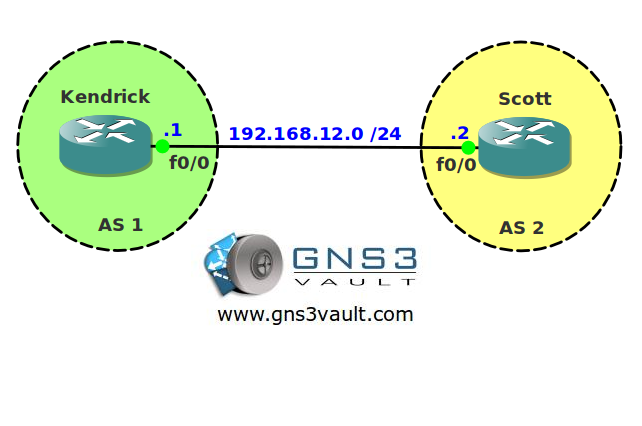
Topology:
Video Solution:
Configuration Files
You need to register to download the GNS3 topology file. (Registration is free!)Once you are logged in you will find the configuration files right here.

The How to Master series helps you to understand complex topics like spanning-tree, VLANs, trunks, OSPF, EIGRP, BGP and more.
Written by René Molenaar - CCIE #41726


Hi Rene
I changed advertisment interval to 1 second but when i do show ip bgp neig command i can still see Default minim advertisment interval of 30 second ? how can we verify that timer of advertisment is now set to 1?
I guess i figured out the answer myself
Kendrick#show ip bgp neighbors | include advertisement
Default minimum time between advertisement runs is 30 seconds
Minimum time between advertisement runs is 1 seconds
Thnx
Good job that’s how we do it 🙂
Default Minimum time between advertisements for EBGP peers is 30 seconds and 5 seconds for IBGP peers
BGP Default San time is 60 Second.
good lab.
i usually set my “bgp scan-time” to the minimum (5) when labbing.
for this lab, first set bgp timers from the bgp process then specifically at the bgp neighbor level.
Another good lab.
@faran I think the default ibgp advertisement minimum is 0 seconds, not 5.
For those going on to troubleshoot exam/lab try what I did and set the min hold time on one of the peers to something greater than the hold time on the other. For example:
scott(config-router)# neighbor 192.168.2.1 timers 30 60 40
Kendrick(config-router)# neighbor 192.168.2.2 timers 5 15 5
good bgp notification messages are our friends. 🙂