

Scenario:
The Agency has created a new security policy and since you are part of the security team you need to help them implement them. Some changes on the network have to be implemented through SNMPv3 and it’s up to you to configure your router as a SMPv3 agent.
Goal:
- All IP addresses have been preconfigured for you.
- Optional: You can use the cloud interface to connect your router to a free syslog server like Spiceworks FREE SNMP Network Manager (also works for SNMPv3).
- Configure router Agent with a SNMP MIB VIEW called “EVERYONE”.
- Configure router Agent with a SNMP MIB VIEW called “FORYOUREYESONLY”
- Configure router Agent so “EVERYONE” contains branch “iso”.
- Configure router Agent with a SNMP group called “EVERYONE”. Use security model “priv”. Assign read/write view to SNMP MIB VIEW “EVERYONE”.
- Configure router Agent with a user called “007”. Use MD5 password “VAULT” and DES encryption password “SAFE”. Add this user to the “EVERYONE” group.
- Configure router Agent with a SNMP group called “FORYOUREYESONLY”. Use security model “auth”. Assign read view to SNMP MIB VIEW “FORYOUREYESONLY”.
- Configure router Agent with a user called “bigeyes”. This user only requires the password “LENS”. Add the user to the “FORYOUREYESONLY” group.
- Configure router Agent so only users from network 192.168.12.0 /24 are allowed to access the SNMP GROUP “EVERYONE”.
- Configure router Agent with a group called “KICKME” and use security model “priv”.
- Configure router Agent with a user called “WILL” and add him to the group “KICKME”. Use password “VAULT”.
- Configure router Agent with SNMP traps to host 192.168.12.2 and use security model ‘priv’. Use username “WILL”.
- Configure router Agent to send a SNMP trap for event ‘warmstart’ and ‘coldstart’.
IOS:
c3640-jk9s-mz.124-16.bin
Topology:
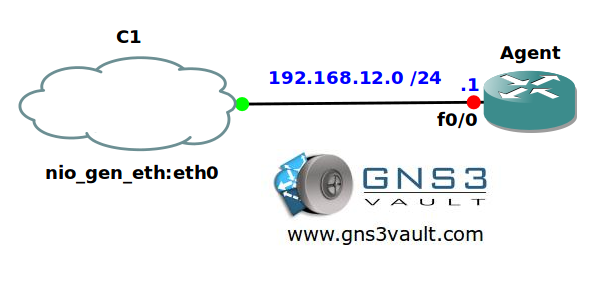
Configuration Files
You need to register to download the GNS3 topology file. (Registration is free!)Once you are logged in you will find the configuration files right here.

Do you want your CCNA or CCNP Certificate?
The How to Master series helps you to understand complex topics like spanning-tree, VLANs, trunks, OSPF, EIGRP, BGP and more.
Written by René Molenaar - CCIE #41726


please provide video solution for this and all unsolved labs at least final configs…
I’m doing the best I can, I always record the solution so once it’s done there will be a final config + video 🙂
hi Molenaar its been more than half a year……………but there is no video….
Hi.
Does any one have the complete configuration file for this scenario. If yes, then please share with me. My email ID is hassanalhilal@gmail.com
Appreciate your help.
Thanks & Regards
access-list 1 permit 192.168.12.0 0.0.0.255
access-list 1 deny any log
snmp-server group KICKME v3 priv notify *tv.FFFFFFFF.FFFFFFFF.FFFFFFFF0F
snmp-server group EVERYONE v3 priv read EVERYONE write EVERYONE access 1
snmp-server group FORYOUREYESONLY v3 auth read FORYOUREYESONLY
snmp-server view EVERYONE iso included
snmp-server view FORYOUREYESONLY system included
snmp-server enable traps snmp coldstart warmstart
snmp-server host 192.168.12.2 version 3 priv WILL
snmp-server user 007 EVERYONE v3 auth md5 VAULT priv des56 SAFE
snmp-server user bigeyes FORYOUREYESONLY v3 auth md5 LENS
snmp-server user WILL KICKME v3 auth md5 VAULT